What most people want from a pet camera is small. Is the dog settled? What does the cat do all day? Why did the neighbor mention the barking?
A spare iPhone can answer those questions. Phonitor is an app that turns one into a home camera. Pets do change a few things compared with an ordinary camera, and that’s what this post is about. The general setup is in the main guide.
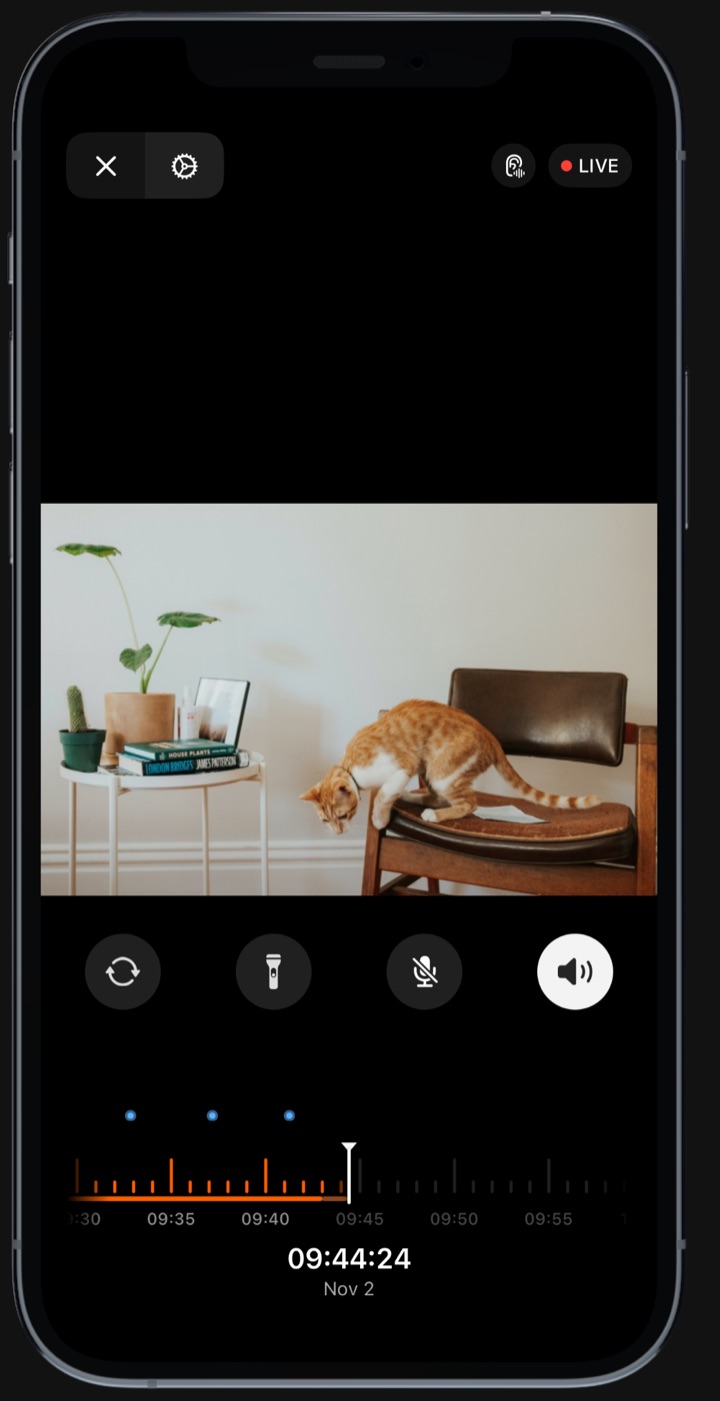
What it does
A spare iPhone gives you a fixed view of one spot, with sound. You can watch live, look back over the last few hours, and with Pro talk through the speaker and get alerts for barking or meowing.
Want to watch two rooms? Use two phones. Each one shows up as its own camera.
Where to put it
Pets break the rules that work for a normal camera.
- Stay out of paw range. Cats push things off shelves. Don’t balance a phone on a ledge. Use a stand that grips it, or put it somewhere your cat can’t get to.
- Protect the cable. The charging cable is the weak point with puppies, rabbits and anything else that chews. Run it behind furniture or through a cable cover, and keep the slack out of reach.
- Aim at where your pet actually spends time. That’s usually the bed, the bowl, the door or the window. If the phone has an ultra-wide lens, Phonitor uses it by default, which helps in a small room.
- Pick a shady spot. Your cat may love the sunny windowsill, but a shady shelf suits a phone that’s charging all day.
- Leave a little light on. With a small lamp or nightlight, Phonitor’s night vision gives you a good view of what the cat gets up to at 3am.
Leave the phone on the camera screen with Phonitor open, and plug it in. After about a minute the screen dims to almost nothing.
What sets off a bark or meow alert

Sound Alerts are probably the most useful feature for a pet owner, and they’re part of Pro. You choose which sounds to listen for on each camera. There are eight in all, and six are on by default. Sound recognition runs on the camera itself; no audio is uploaded.
Each sound has its own rule, so your phone doesn’t buzz at every noise.
Dogs. Barks come and go, so they don’t have to be continuous. A few barks within about six seconds will set off an alert. One woof at the mail carrier won’t.
Cats. Phonitor listens for meows, not for cats in general. Nobody needs a notification that their cat is purring, so that shouldn’t set it off.
After an alert, the same sound waits 30 seconds before it can alert again, and you can turn any sound off for a camera if you don’t need it.
There’s also Sudden Noise, which ignores what the sound is and fires when it’s much louder than the room usually is. It has three levels, and it’s how you’d hear about something crashing off a counter.
Finding out what happened
An alert is only half useful. What you want to know next is what set it off.
Tap the notification and Phonitor opens that camera and plays from about five seconds before the sound, if the recording is ready. The playback timeline marks each event, and a calendar takes you to any day that’s still stored. At the default 1080p and 30 fps, a 32 GB limit holds about ten hours, enough to cover your working day.
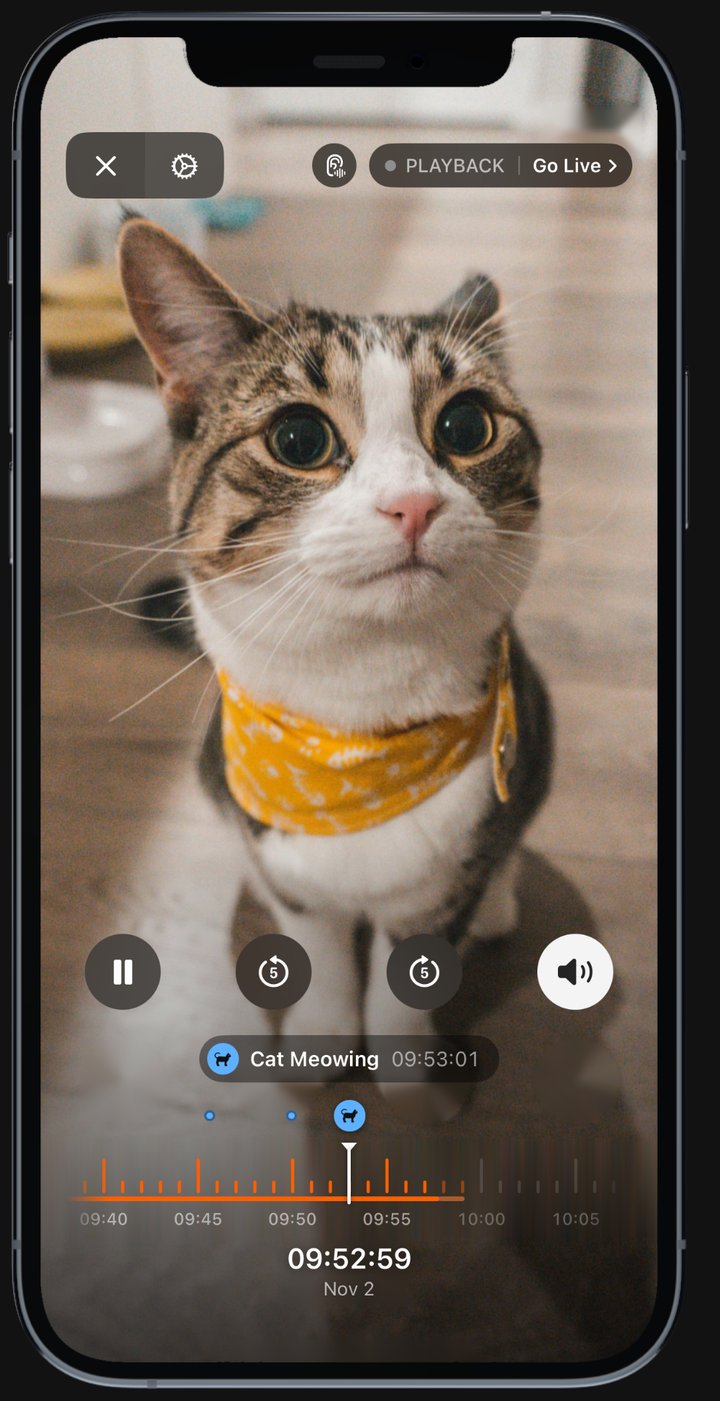
With Pro you can export a clip: up to 30 minutes on the camera device, or 10 from another device. That’s handy if your vet asks to see the strange thing your dog keeps doing.
Listening is free. Talking through the camera is Pro. Pets react to a voice from a speaker in different ways, so try it while you’re home before you try it from work.
Before a trip
Before you go away, run through this quick list:
- Turn off automatic iOS updates, so the phone keeps running as a camera while you’re away.
- Test it for a few hours first. Leave, and check from outside your home network.
- Tell your sitter. Anyone coming into your home should know there’s a camera.
- Take out the SIM, or silence calls, so a phone call doesn’t interrupt the camera.
How much of this is free?
More than you’d expect for a pet camera. The free plan includes live view, recording and night vision, so you can check on the dog at lunchtime.
Pro is $4.99 a month or $35.99 a year in the US, with a 7-day free trial. It adds Sound Alerts, Family Group, clip export, background play and two-way talk.
Start free, and try Pro when you want to be told the moment your dog barks or your cat meows.
Phonitor turns a spare iPhone, iPad or Mac into a home camera. Free on the App Store. The general setup is in how to turn an old iPhone into a home camera.