If you’re weighing Phonitor against Ring, you’re really comparing two different things. Ring sells camera hardware: doorbells, outdoor cameras and indoor cameras, run through the Ring app. Phonitor is an app that turns an iPhone, iPad or Mac you already own into a camera you watch from another Apple device.
So this isn’t a contest with one winner. For some jobs Ring is clearly the right tool, and for others a spare iPhone does the job without buying anything. This post goes through which is which.
Everything about Ring below comes from Ring’s own website and help pages, checked on November 11, 2026. Ring’s plans differ by country and change from time to time, so check ring.com/plans for what applies to you. This is a comparison of published facts, not a side-by-side test of picture quality.
What Ring is built for
Outside the house. Ring makes doorbells and cameras built to be mounted outdoors, with battery, wired and solar options. If you want to see your front door, driveway or garden, Ring is made for that.
Motion alerts. Ring cameras send motion notifications, even without a plan. Ring’s paid plans add smarter alerts, such as when a person or a package is spotted.
Footage that leaves the house. With a Ring plan, motion videos are stored in Ring’s cloud for up to 180 days, according to its help pages.
Android and Alexa. The Ring app runs on Android as well as iPhone, and Ring works with Amazon’s Alexa devices.
A wider security system. Ring also sells an alarm system, with professional monitoring available as an option.
Where Phonitor is the better fit
You already own the camera. If there’s an old iPhone or iPad in a drawer, Phonitor uses it. There’s nothing to buy, mount or wire. Set it on a shelf, plug it in, and it’s a camera. When you’re done, it’s a phone again. For a room you only need to watch for a while, like a nursery, a pet’s first weeks at home or a holiday away, that’s often all you need.
Great for indoor rooms. An indoor camera in a living room or bedroom is where a phone works best: power is nearby, the Wi-Fi is strong, and the camera doesn’t need to survive weather. iPhone cameras also tend to be good, and Phonitor lets you pick 720p up to 1440p and pinch to zoom up to 5x in the viewer.
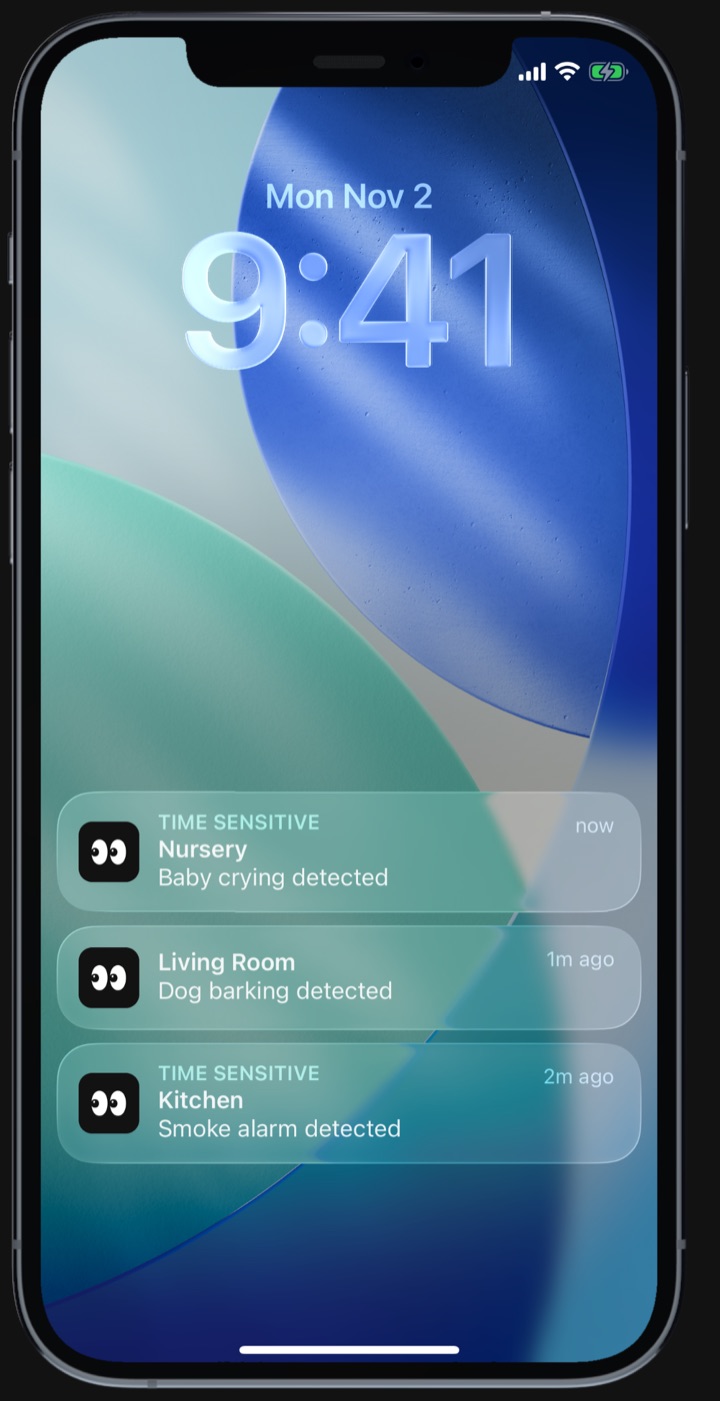
Alerts for the sounds that matter. Phonitor Pro listens for eight kinds of sound, chosen per camera: a smoke alarm, a baby crying, a dog barking, a cat meowing, shouting, coughing, glass breaking, and any sound far louder than the room usually is. Sound recognition runs on the camera itself, and no audio is uploaded. Indoors, a sound often tells you more than motion does. A pet walking across the room isn’t news. A smoke alarm going off is.
Recording without a subscription. Ring’s help pages say that without a plan you can watch live and respond to alerts, but you can’t review recorded video. Phonitor records in a loop on the free plan, up to the storage limit you set on the camera device.
No new account. Phonitor uses the Apple Account already on your devices. There’s no separate sign-up, and nothing to pair beyond opening the app on both devices.
Sharing with family on Apple devices. With Family Group, you invite up to 5 people to set up and watch cameras together, each with their own Apple Account. One subscription, and your family pays nothing.
What each one costs
Ring is hardware plus an optional plan. You buy each camera, and if you want recorded video, you subscribe. Ring’s plans come in two shapes: one that covers a single device, and ones that cover every device at an address, with continuous 24/7 recording available as an add-on on some cameras. Prices depend on your country; see ring.com/plans.
Phonitor is an app with no hardware to buy if you have a spare device. The free plan includes live view and loop recording. Pro adds Sound Alerts, Family Group and talking through the camera. In the US, Pro is $4.99 a month or $35.99 a year, with a 7-day free trial.
Side by side
| Ring | Phonitor | |
|---|---|---|
| What you get | Dedicated cameras and doorbells | An app for a spare iPhone, iPad or Mac |
| Works on | iPhone and Android | iPhone, iPad and Mac |
| Recordings without paying | No | Yes, a loop on the camera device |
| Where recordings are kept | Ring’s cloud, with a plan | On the camera device |
| Sound alerts | Not listed among the plans’ smart alerts | 8 kinds, with Pro |
| Talk through the camera | Yes | Yes, with Pro |
| Account | Ring account | Your Apple Account |
So which one?
Choose Ring if:
- you want to watch the outside of your house, or a door
- anyone in your home uses Android, or you run your home on Alexa
- you want a full alarm system
Try Phonitor if:
- you have a spare iPhone, iPad or Mac and want to use it before buying anything
- the room you care about is inside: a nursery, a pet’s room, a kitchen
- what you want to catch is a sound, like a baby crying, a dog barking or a smoke alarm
- you want a few hours of recording without a subscription
Plenty of homes could use both: Ring at the front door, and an old iPhone on a shelf inside. Phonitor is free to install, so the cheapest way to find out is to set up the phone you already have. Here’s how to turn an old iPhone into a home camera. If it’s for a baby or a pet, see the guides for a baby monitor and a dog or cat camera. Try watching from outside your home network too, to see how it works when you’re away.
Ring is a trademark of Ring LLC, an Amazon company. Phonitor is not affiliated with or endorsed by Ring or Amazon. Details about Ring come from its public website and help pages, checked on November 11, 2026. If something here is out of date, email [email protected] and it will be fixed.
Phonitor turns a spare iPhone, iPad or Mac into a home camera. Free on the App Store.